Software
Nutanix Plug-in
for Grafana
Health, capacity and performance of Nutanix clusters, hosts, VMs and storage containers, with their alerts and events. Everything is read from Prism Central's API, and nothing is installed on the clusters.
5
Dashboards
171
Metrics
12.4+
Grafana on-prem
Supported
Grafana Cloud
Dashboards
Five dashboards, each with a data source selector, so one set serves every Prism Central you connect.
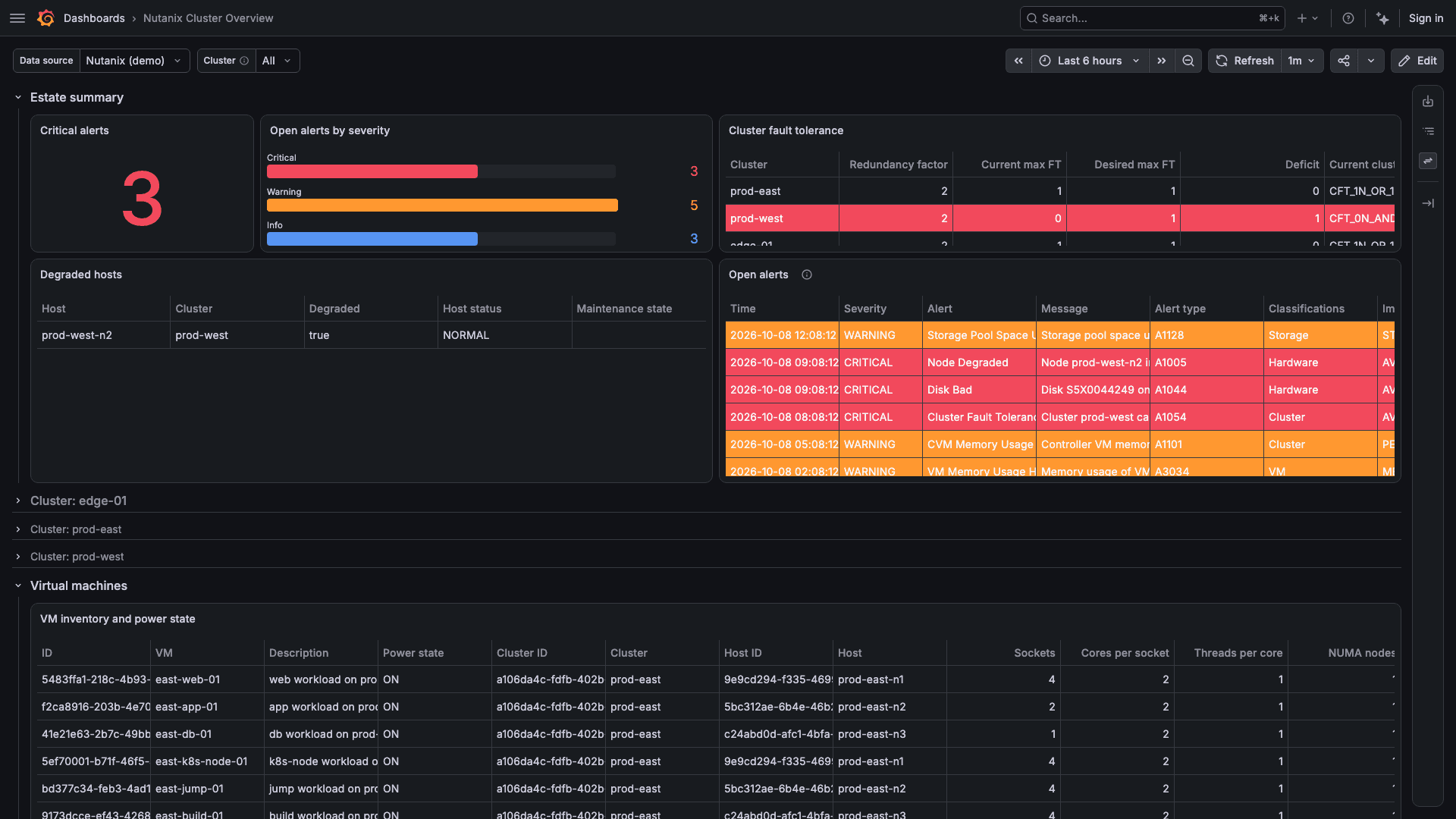
Cluster Overview
What needs attention across every cluster, and how each is running: open alerts, fault tolerance, degraded hosts, then health, capacity, CPU, memory and storage I/O per cluster.
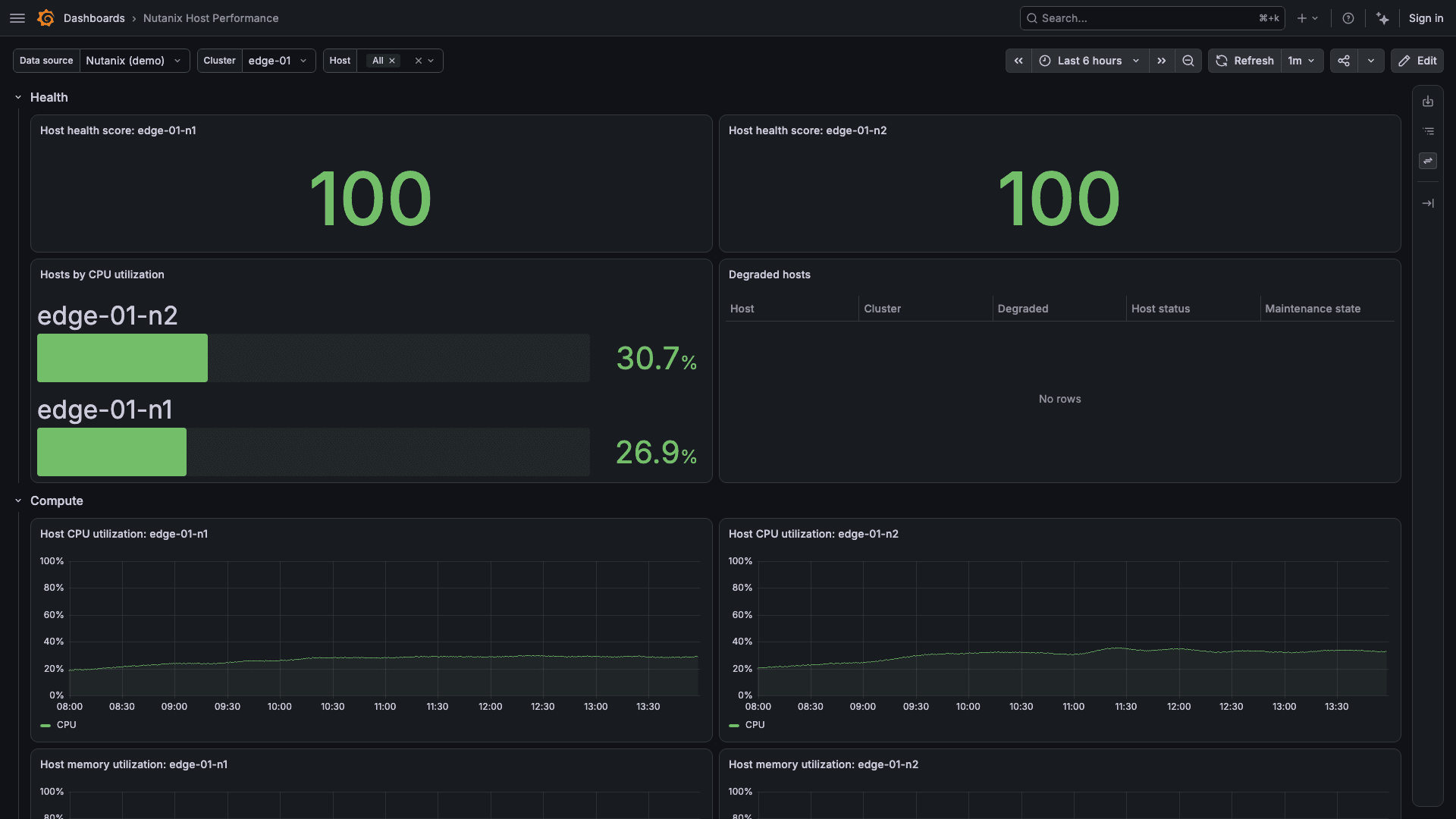
Host Performance
The hosts of one cluster, ranked by CPU utilization, with each host's panels repeated.
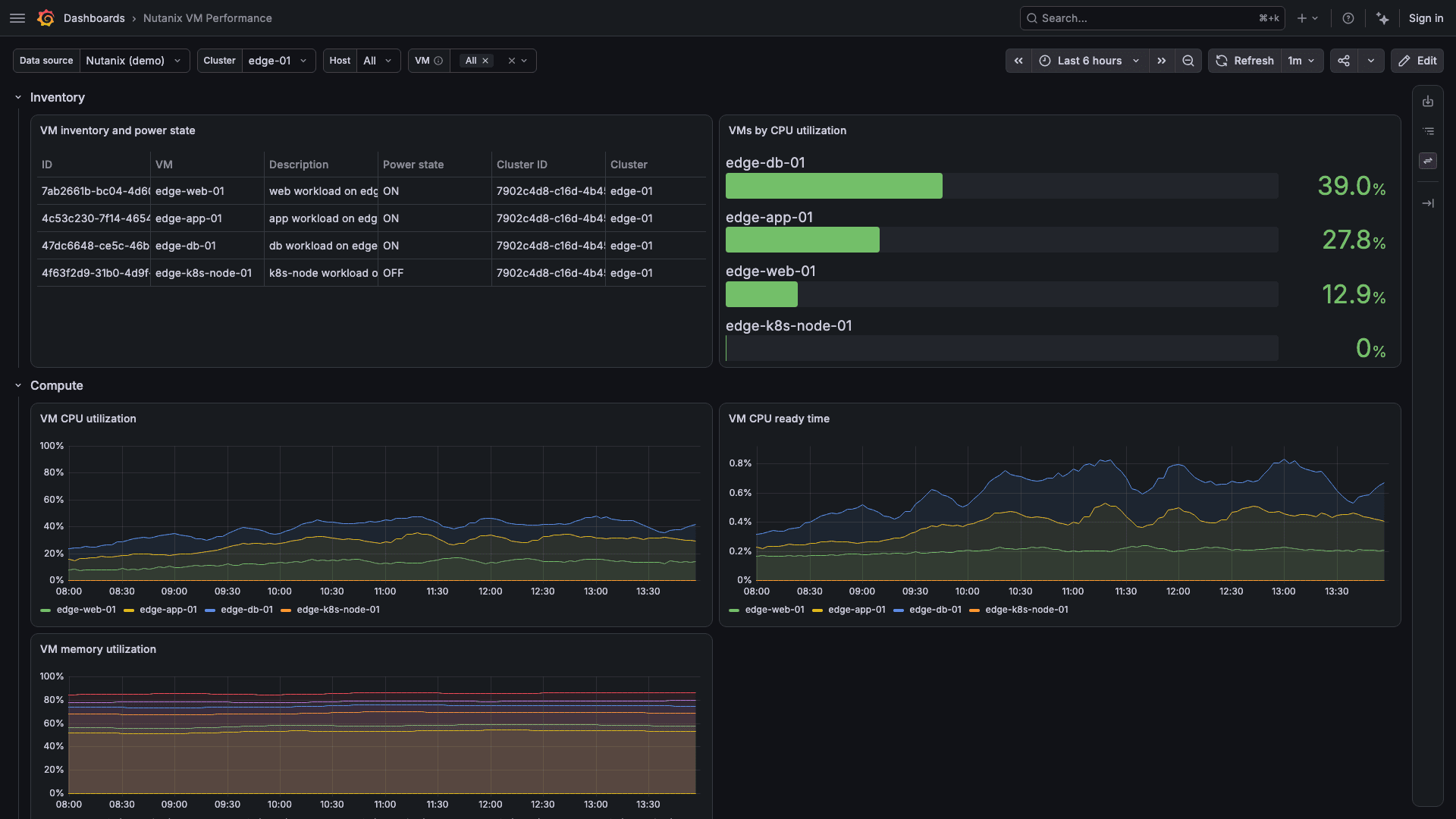
VM Performance
CPU, memory, disk and network for the VMs of one cluster, or of one host.
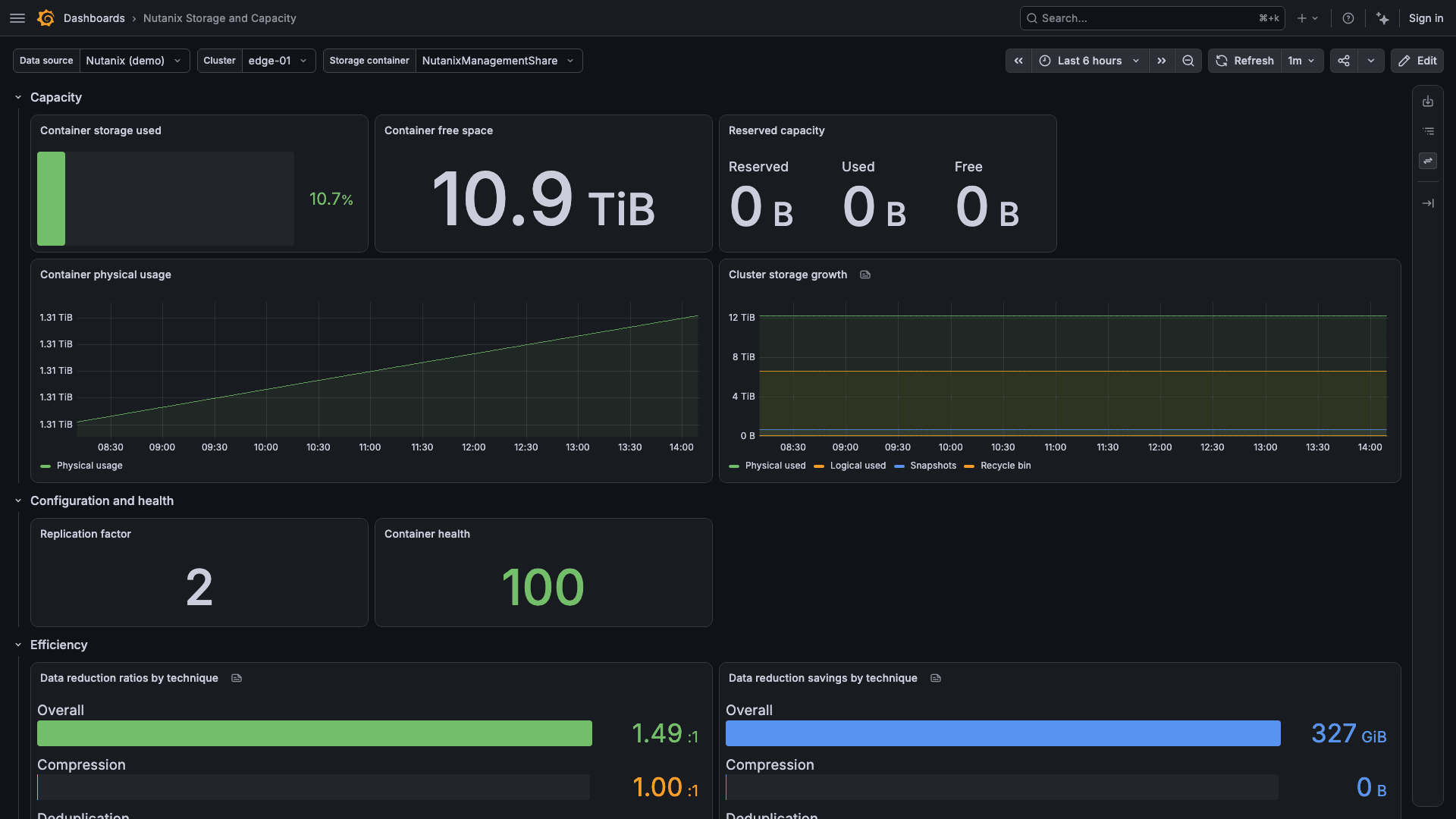
Storage and Capacity
One storage container's capacity, efficiency and performance, and the cluster's disks.
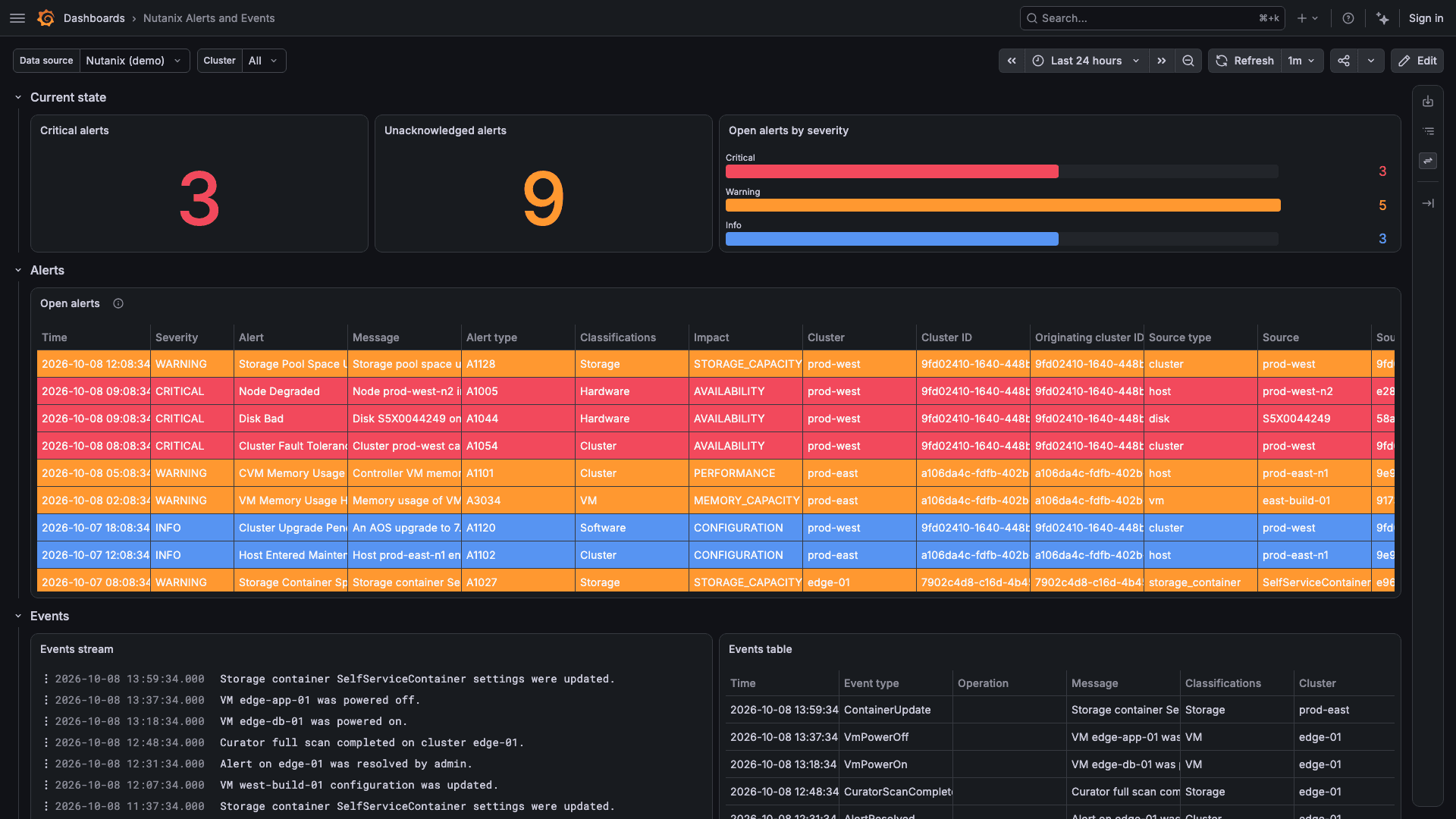
Alerts and Events
Open alerts across every cluster or one, and events over the selected time range.
Capabilities
Beyond the dashboards, the plug-in works with Grafana alerting and your own dashboards.
Two alert rules
Host degraded, one alert per host, and Cluster below desired fault tolerance, one alert per cluster. Both ship as a provisioning file in the plug-in.
Queries for your own rules
Grafana alert rules can query cluster, host, VM and storage container stats, and the count of open alerts.
Template variables
List clusters, hosts, VMs, storage containers and disks, narrowed by cluster or host, for dashboards you build.
Demo mode
Try the plug-in without a Prism Central. Demo mode serves sample data for three clusters and sends nothing over the network.
Prism Central only
The plug-in reads from Prism Central's v4.0 or v3 API and does not connect to Prism Element.
Private networks
When Grafana cannot reach Prism Central directly, connect through Grafana's secure SOCKS proxy or Private Data Source Connect.
Requirements
What the plug-in needs to run.
Grafana
Grafana Cloud, or Grafana 12.4 or later on-prem.
Prism Central
A Prism Central that serves the Nutanix v4.0 or v3 API, reachable from Grafana.
Credential
A read-only Prism Central account created for the plug-in: an API key on v4.0, or a username and password on v3.
How It Works
Install from the Grafana Marketplace
Add the Nutanix plug-in to your Grafana.
Add the data source
Enter the Prism Central address and the credential. Save & test reports the number of clusters and the Prism Central version.
Import the dashboards
Import each dashboard from the data source's Dashboards tab, starting with Cluster Overview.
Get the Nutanix plug-in
Purchased through Grafana Labs on the Grafana Marketplace.