Software
Palo Alto Networks Plug-in
for Grafana
Health, capacity, packet drops and updates for Palo Alto Networks firewalls on PAN-OS 11.1 or later. The plug-in reads each firewall's XML API with one API key, and nothing is installed on the firewalls.
4
Dashboards
90+
Metrics
12.4+
Grafana on-prem
Supported
Grafana Cloud
Dashboards
Four dashboards, each with a data source selector. Panels show each firewall's latest reading, and Firewall detail adds the firewall's own resource history.
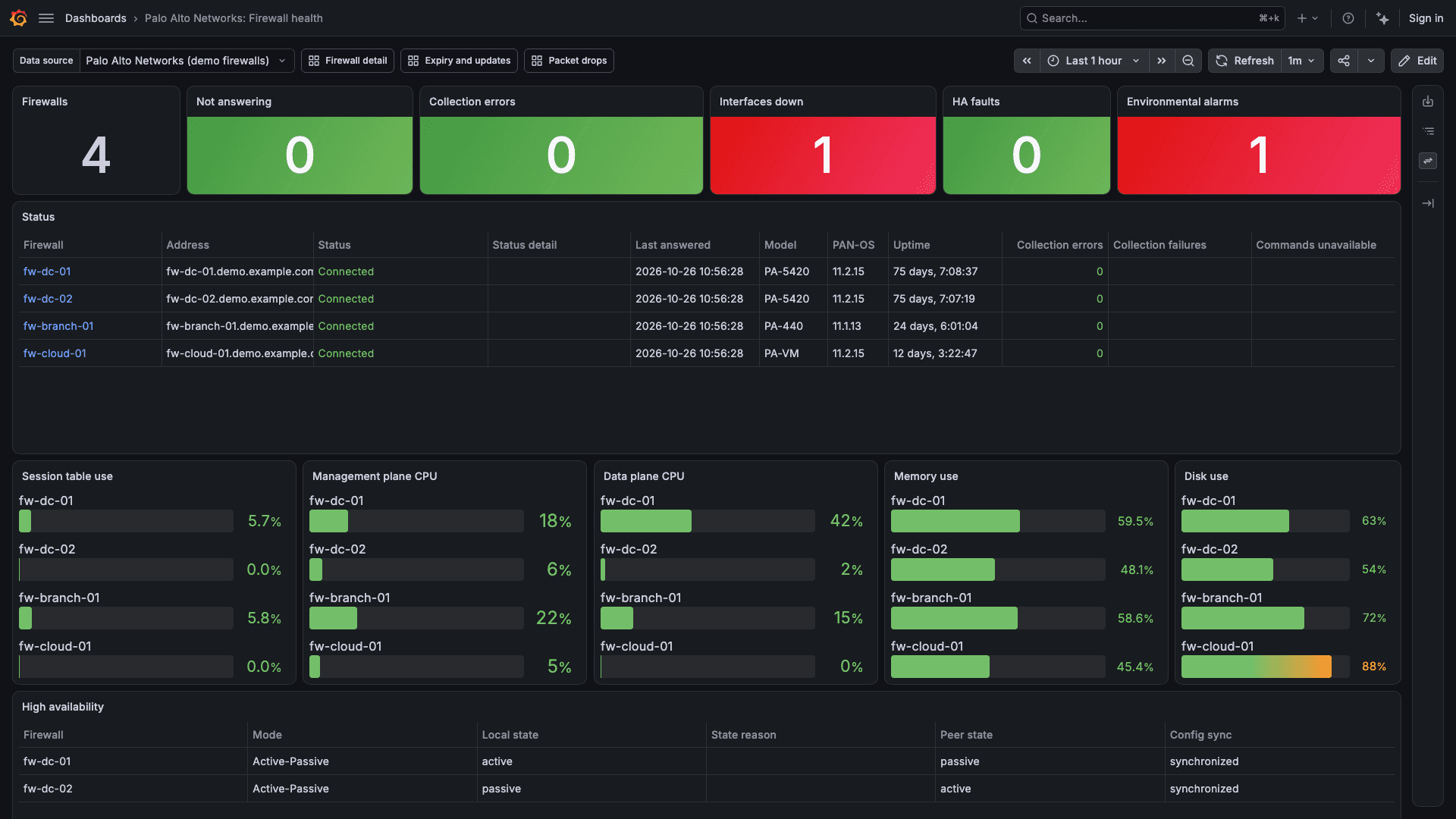
Firewall health
Which firewall needs attention: firewalls not answering, collection errors, interfaces down, HA faults and environmental alarms, then session table, CPU, memory and disk use per firewall.
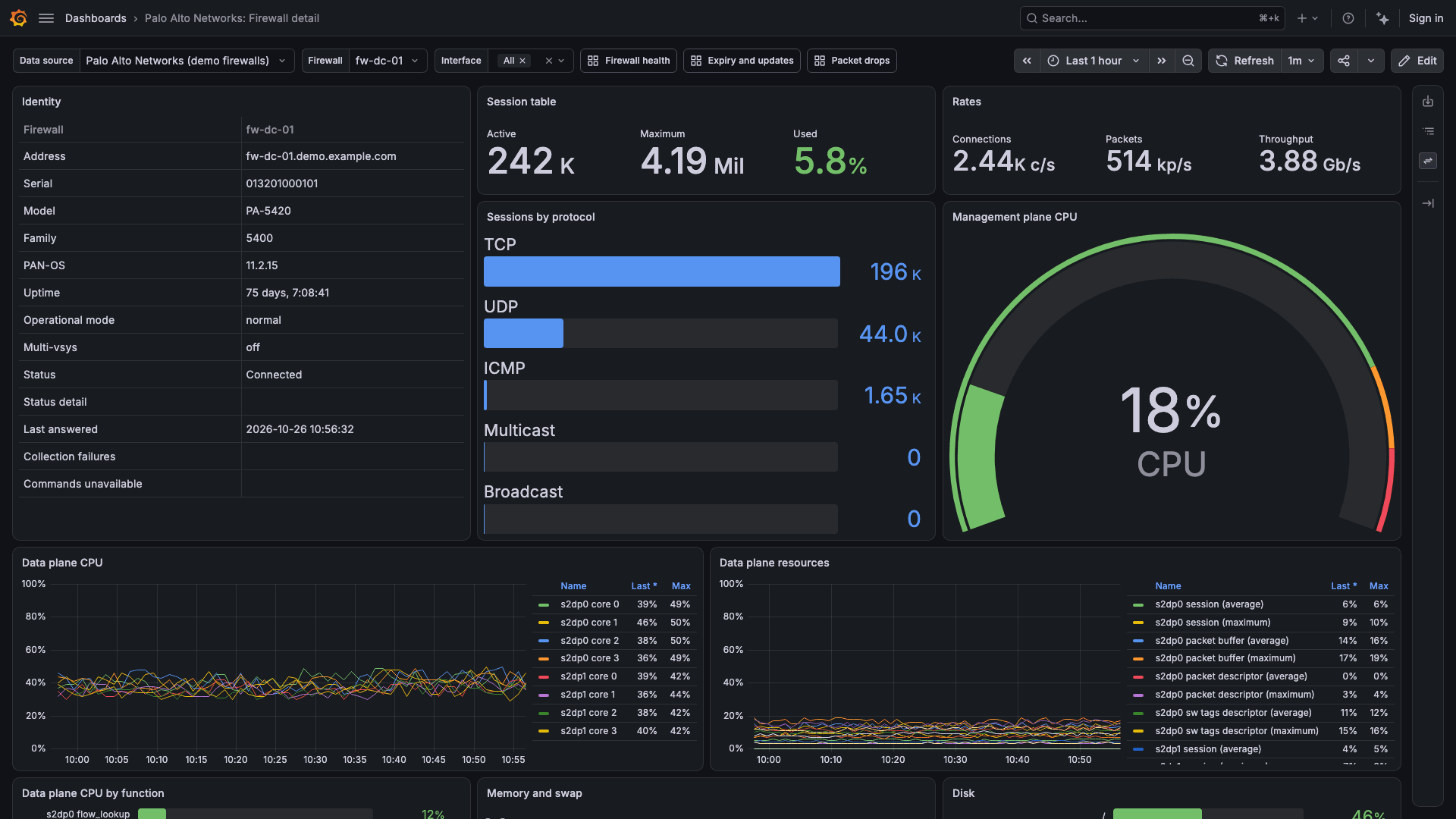
Firewall detail
One firewall: sessions, CPU, memory, disk, interfaces, HA, sensors, drops and GlobalProtect.
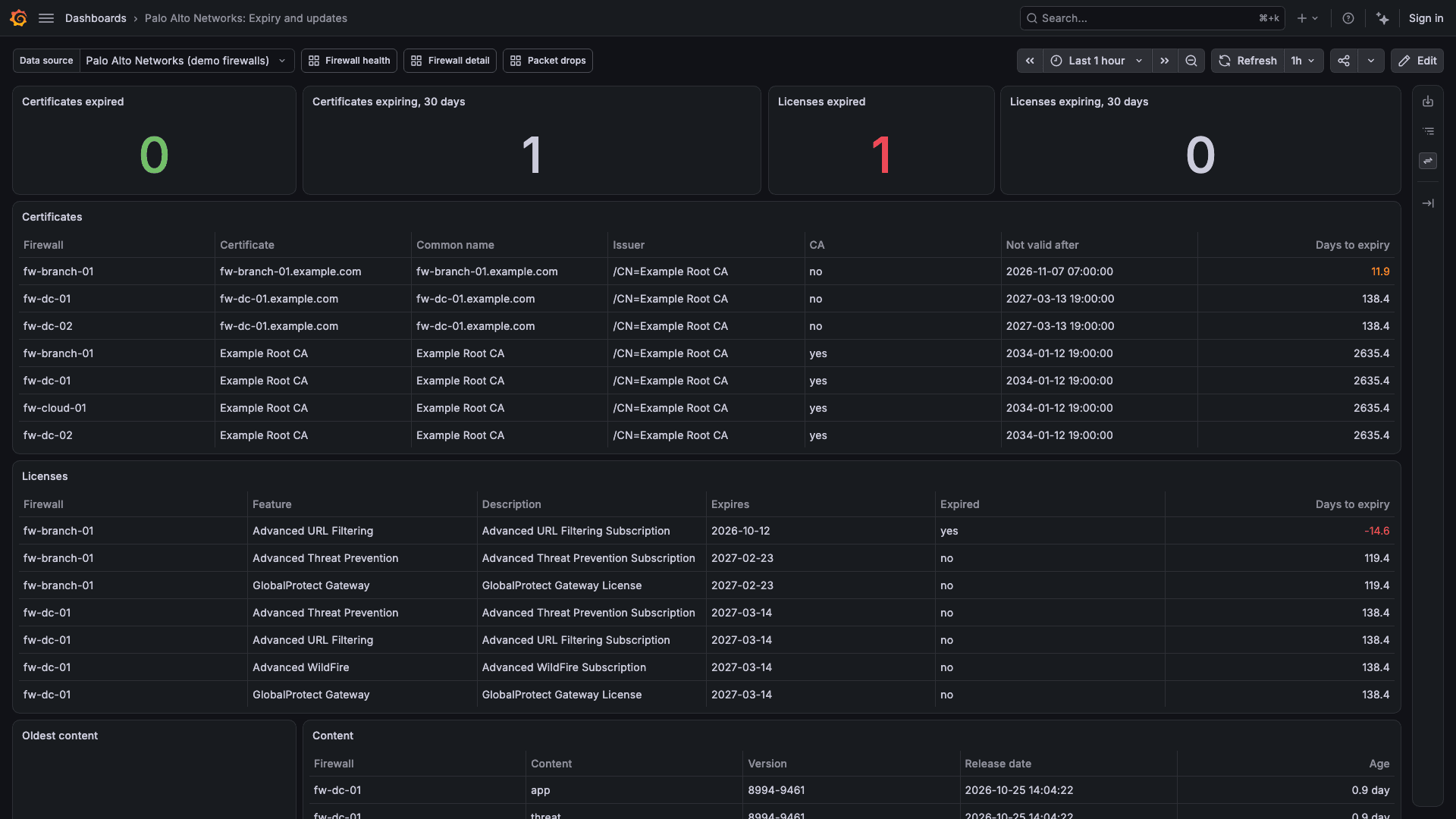
Expiry and updates
Certificate and license expiry, content age and PAN-OS version for each firewall.
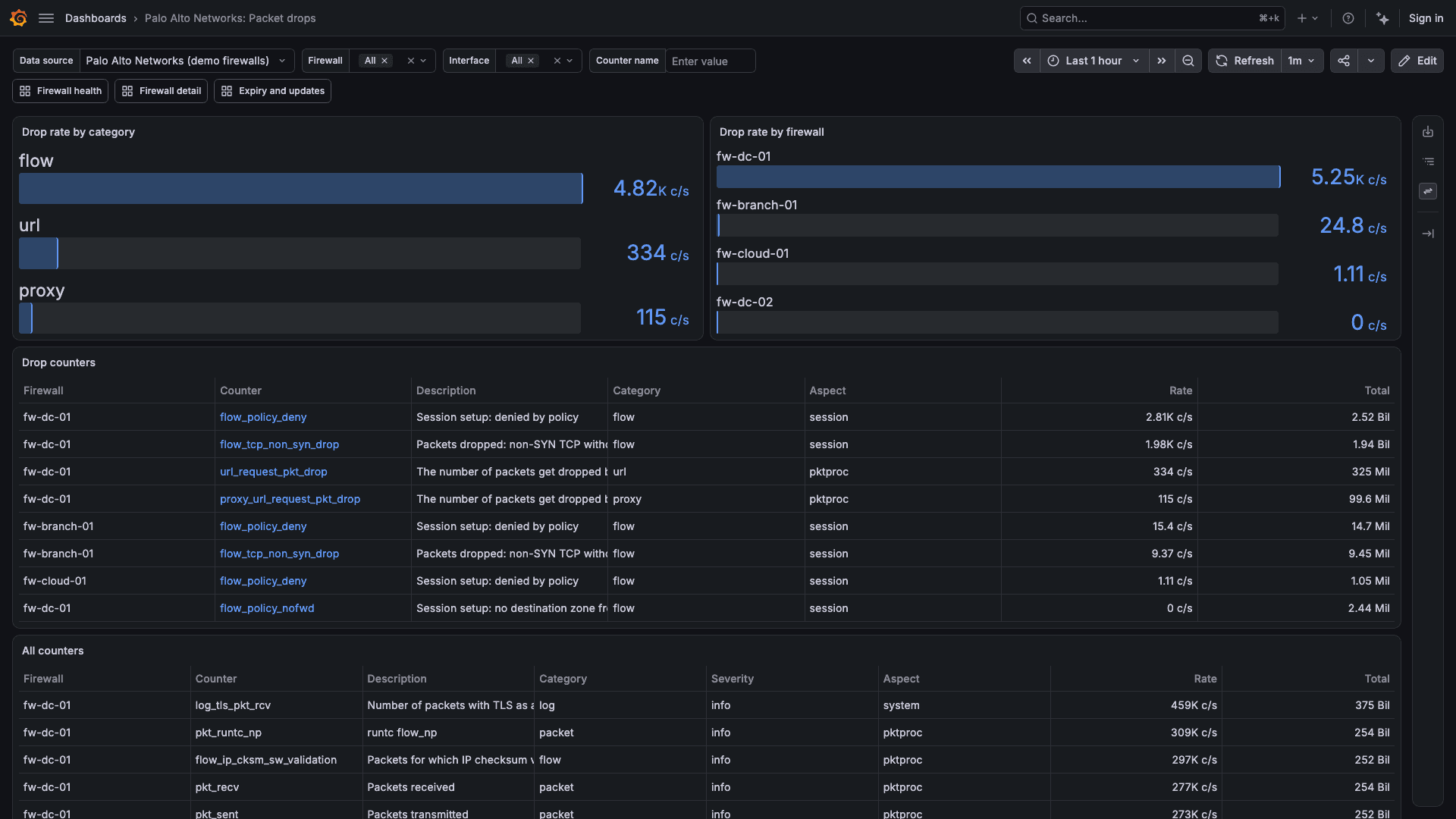
Packet drops
What the firewalls are dropping, and why: drop rates by category and by firewall, and each drop counter with its description.
Capabilities
Beyond the dashboards, the plug-in works with Grafana alerting and your own dashboards.
Fifteen alert rules
Covering firewalls not answering, collection failures, session table use, CPU, interface state and errors, HA health and configuration sync, license and certificate expiry, content age and sensor alarms. They ship as a provisioning file in the plug-in.
Fifteen query types
Inventory, content versions, sessions, CPU and memory, disk, resource monitor history, interfaces and their counters, global counters, HA, licenses, certificates, GlobalProtect and environmentals, plus a raw operational command limited to a fixed list of show commands.
Template variables
List the firewalls and their interfaces, for dashboards you build.
Up to 50 firewalls
One data source reads up to 50 firewalls with one API key, and caps the concurrent calls to each firewall's management plane, which also serves its web interface.
Firewall certificates
Trust each firewall's own certificate by adding it to the data source, or turn off certificate validation.
Private networks
When Grafana cannot reach the firewalls directly, connect through Grafana's secure SOCKS proxy or Private Data Source Connect.
Requirements
What the plug-in needs to run.
Grafana
Grafana Cloud, or Grafana 12.4 or later on-prem.
Firewalls
PAN-OS 11.1 or later, with HTTPS from Grafana to each firewall's management interface or to a data plane interface that permits HTTPS.
API key
One API key for an administrator created for the plug-in, accepted by every firewall in the data source.
How It Works
Install from the Grafana Marketplace
Add the Palo Alto Networks plug-in to your Grafana.
Add the data source
Create the administrator and API key on the firewalls, then enter the firewall addresses and the key. Save & test reports how many firewalls answered.
Import the dashboards
Import each dashboard from the data source's Dashboards tab, starting with Firewall health.
Get the Palo Alto Networks plug-in
Purchased through Grafana Labs on the Grafana Marketplace.