Somewhere in your environment is a job that talks to Nutanix and that nobody has touched in years. It might be the monitoring integration someone set up when the first cluster went in. It might be a script that copies VM inventory into the CMDB every night, a backup product, or a Terraform module that has been copied between repositories so often that nobody remembers who wrote it. It works, which is exactly why nobody has looked at it.
There's a good chance it calls one of Nutanix's legacy APIs, and Nutanix has put a date on those.
That date has already moved once. Nutanix first said the legacy APIs, v0.8, v1, v2 and v3, would be deprecated starting with the release planned for Q4 2026. In June it revised its end-of-life bulletin. The AOS and Prism Central releases targeted for Q2 2027 are now the last to include them, and removal begins in phases with the Q4 2027 release.
Anyone who owned a TV in 2009 has seen this before. The United States set February 17, 2009 as the day analog broadcasting would end. In January, Nielsen counted 6.5 million households that still weren't ready, and Congress moved the date to June 12. The extra four months helped. Two days before the switch, Nielsen still counted about 2.8 million households that weren't ready.
We can expect Nutanix's extra time to play out the same way. If you use the time to find out what depends on the old APIs, you can migrate on your own schedule. If you don't, you won't find out on upgrade night. The upgrade that removes an API you depend on will go as planned. The dashboards will stop changing. You'll find out weeks later, when something breaks and you reach for the tools somebody else made years ago. The monitoring will be dark, and the orchestration you'd use to fix the problem will be calling an API that isn't there.
What the bulletin says
Nutanix's End of Life Announcement Bulletin for the legacy Prism APIs was first published December 5, 2024 and revised June 17, 2026. It sets three milestones:
- End of general availability. The AOS and Prism Central releases targeted for Q2 CY2027 are the final releases with the legacy APIs.
- End of life. Support for the legacy APIs ends with the end-of-support date of those Q2 CY2027 releases. After that, in the bulletin's words, "all support services for the feature are unavailable, and the feature becomes obsolete for all deployments."
- Removal. Starting with the Q4 CY2027 release, "legacy APIs and their dependent CLIs/UIs will be removed in phases." Legacy resources in the Terraform and Ansible plugins "will be removed concurrently with the underlying product APIs."
The gap between those milestones is where people get hurt. A Prism Central or AOS release that still includes the legacy APIs will keep answering them after support ends. The calls will still work, but they're unsupported. When something breaks, there's no case to open. More crucially, when somebody finds the next zero-day, you'll be asking for a fix to a feature Nutanix has declared obsolete. Plan for the date that's published.
APIs age in dog years
The v3 API has been generally available since April 17, 2018, and the Prism Element APIs it sits beside are older still. That'll be nine years in 2027, or sixty-three years for dogs and APIs. Nutanix's replacement, v4, reached general availability in Prism Central pc.2024.3 and AOS 7.0 in December 2024. Until pc.2024.1 and AOS 6.8 in May 2024, VM statistics were available only through the deprecated Prism Element v1 API. Nutanix couldn't retire v1 while it was the only place to get VM statistics.
As a developer, I get it. Nobody chooses to drag along sixty-three dog years of tech debt. That's the price of success. But eventually there comes a day when Nutanix, and everybody else (except Microsoft, never Microsoft), must put away childish things and deprecate their creaky APIs.
Every version a vendor keeps alive is one more thing it has to test, secure and document on every release. That cost lands on every customer, including the ones who moved to v4 years ago.
Few Nutanix integrations are confirmed on v4
When we researched our own Nutanix plug-in in September, we profiled the Nutanix integrations for 13 observability platforms. Three were confirmed on v4: Dynatrace, LogicMonitor, and one community Prometheus exporter. Zabbix's official template reads Prism Element's v2.0 API. Dynatrace moved its extension to v4 and keeps the older one, built on v1 and v2, supported only until Nutanix ends support for those APIs.
For many teams, moving to v4 means more than changing a version number in a URL. The v1 and v2 APIs are Prism Element APIs: a tool connects to each cluster on its own. The v4 APIs are served by Prism Central, one connection for the clusters it manages. A tool that polls every cluster separately needs a different design, and that is the real work hiding behind the version number.
How to find what depends on the old APIs
Most teams don't have a list. Here's how to build one.
Start from the credentials. Every tool that calls the Nutanix API signs in as some account. List the users and service accounts on Prism Central and on each Prism Element, then match each account to the tool that uses it. An account nobody can explain is the most important row on the list.
Search the code. Search scripts, runbooks, Ansible playbooks and Terraform for the legacy paths: /api/nutanix/v0.8, /api/nutanix/v1, /api/nutanix/v2.0, /api/nutanix/v3 and /PrismGateway/services/rest/. Anything that matches is on the old APIs.
Ask the vendors. For each commercial product that touches Nutanix (monitoring, backup, CMDB, VDI), ask which Nutanix API its current release calls and when it will be on v4. Get the answer in writing, with a version number.
Check Prism Central's version. The v4 APIs became generally available in pc.2024.3. A Prism Central older than that can't serve the API your tools need to move to, so upgrading it comes first. Some tools ask for a newer release still, so check each one's requirements.
Where our plug-in stands
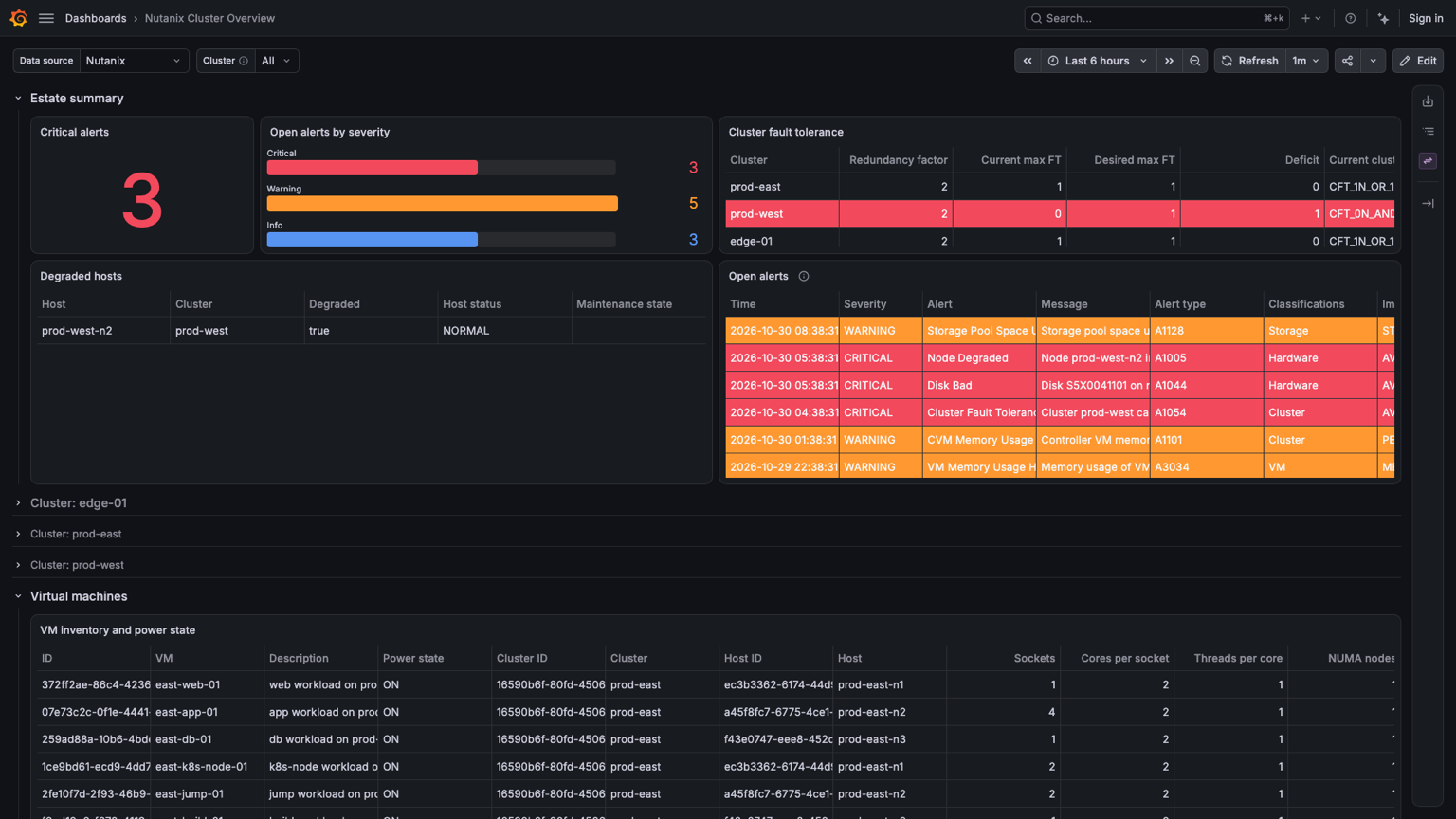
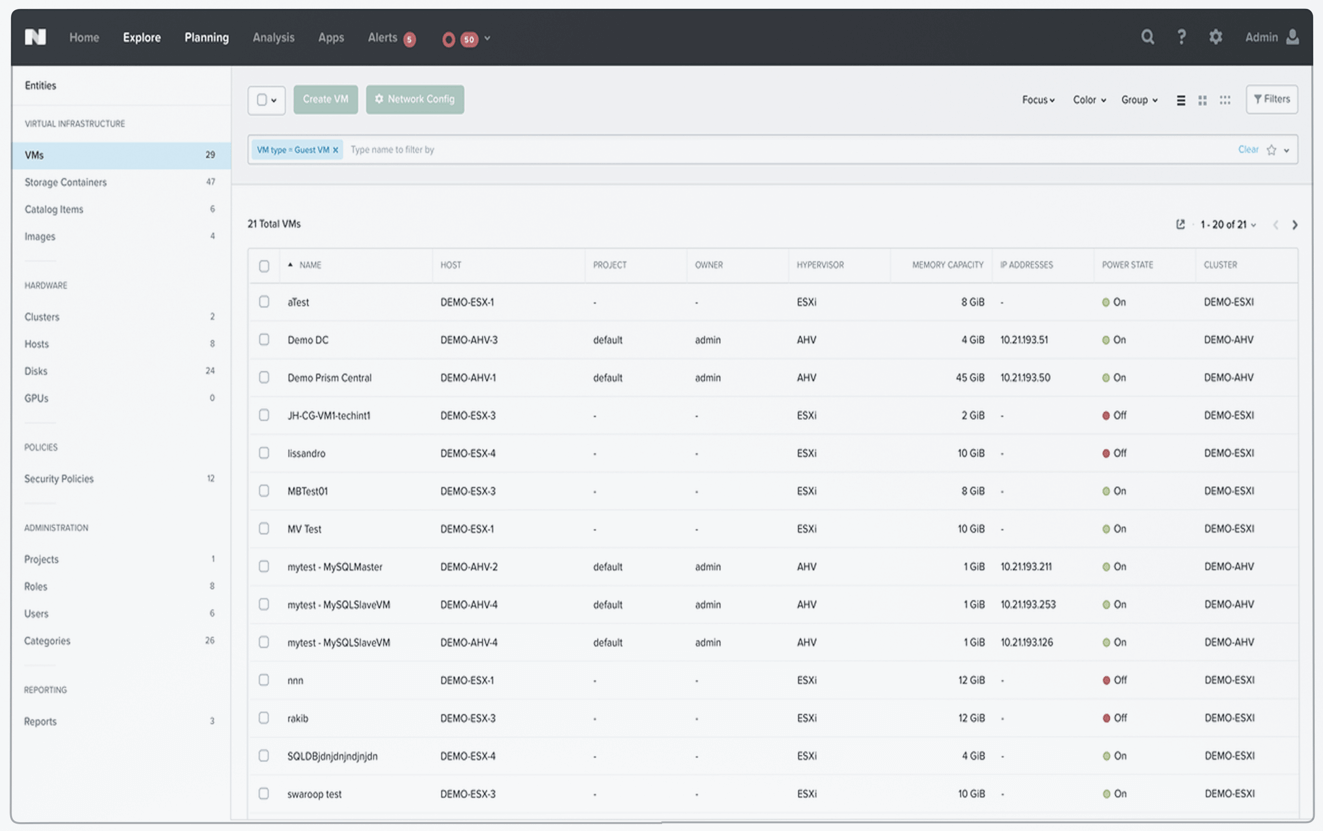
We built the Nutanix Plug-in for Grafana on the v4 API. It reads everything through Prism Central and doesn't connect to Prism Element. Nothing is installed on your clusters. It signs in with the Prism Viewer role, using a service account's API key, or a username and password on a Prism Central that serves only v3. The Cluster Overview dashboard at the top of this post is one of its five dashboards.
The plug-in uses v4.0 wherever Prism Central serves it. For a Prism Central that only serves v3, it falls back to v3. Save & test names the Prism Central release it connected to. That makes the plug-in a quick check: point it at each Prism Central, and any release older than pc.2024.3 is the one to upgrade first.
The extra time is the point
The 2009 analog television reprieve didn't fail. It cut the number of unready homes by more than half. The households that lost the picture on June 12 weren't unlucky. They had a working TV and no reason to think otherwise until the picture went away.
Your tools are working too. Use the time before Q2 2027 to find out what they depend on. You can migrate the ones you find now on your schedule. Otherwise, they will stop working at a time someone else picked when you weren't paying attention.
Will my v3 scripts stop working in 2027?+
Not on a fixed day. The Q2 2027 releases are the last to include the legacy APIs. Removal begins in phases with the Q4 2027 release, so a script stops working when your clusters upgrade to a release without the API it calls. Until then it keeps running, and once the Q2 2027 releases reach the end of support, it runs unsupported.
Does the Nutanix Plug-in for Grafana need the v4 API?+
It uses v4.0 wherever Prism Central serves it, and falls back to v3 where it doesn't. Save & test names the Prism Central release it connected to, and pc.2024.3 or later serves the v4 APIs.
What permissions does the plug-in need?+
The Prism Viewer role, and no other. The plug-in's README has the steps for creating a service account and an API key.
Try it
Install the Nutanix Plug-in for Grafana from the Grafana catalog, point it at your Prism Central, and select Save & test. It runs on Grafana Cloud and on on-prem Grafana 12.4 and later. If you need help moving the rest of your Nutanix tooling to v4, contact us.